

rllm CLI — no Python scripts required.
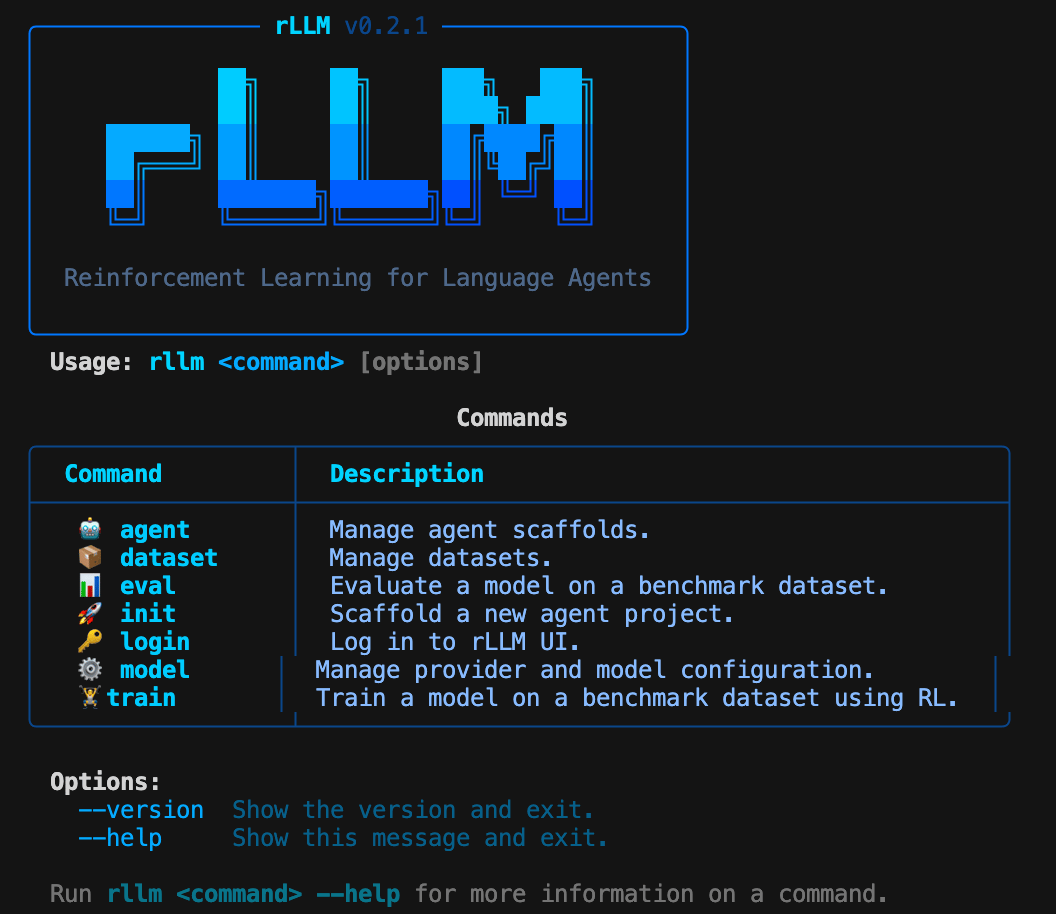
The rLLM CLI help screen
Prerequisites
- rLLM installed (see installation)
- An API key for a model provider (OpenAI, Anthropic, Together, etc.)
Step 1: Configure your model
Run the interactive setup to select a provider and model:- Choose a provider (e.g., OpenAI)
- Enter your API key
- Pick a default model (e.g.,
gpt-4o)
Your configuration is saved to
~/.rllm/config.json. You can switch providers later with rllm model swap.Step 2: Explore available datasets
Browse the full catalog of 50+ benchmarks:Step 3: Run an evaluation
Evaluate your model on a benchmark:- Auto-pull the dataset from HuggingFace
- Start a local LiteLLM proxy for your configured provider
- Resolve the default agent and evaluator from the catalog
- Run the evaluation with 64 concurrent requests
- Print accuracy, error count, and per-signal metrics
For a quick test run, limit the number of examples:
Evaluate with a local model
If you’re running a model server (vLLM, SGLang, etc.), point to it directly:Step 4: Train with RL
Launch reinforcement learning training on a benchmark:Step 5: Build a custom agent
Scaffold a new agent project:What’s next
CLI reference
Full reference for all commands and flags
Supported datasets
Browse 50+ benchmarks across math, code, QA, VLM, and more
Unified trainer
Dive into the training pipeline and configuration
SDK overview
Use any LLM framework with SDK-based training